
How to Use an AI Business Advisor Even If You've Never Used One Before
Learn how to use an AI Business Advisor for the first time, connect your business tools, ask better questions, and turn real financial data into smarter decisions.
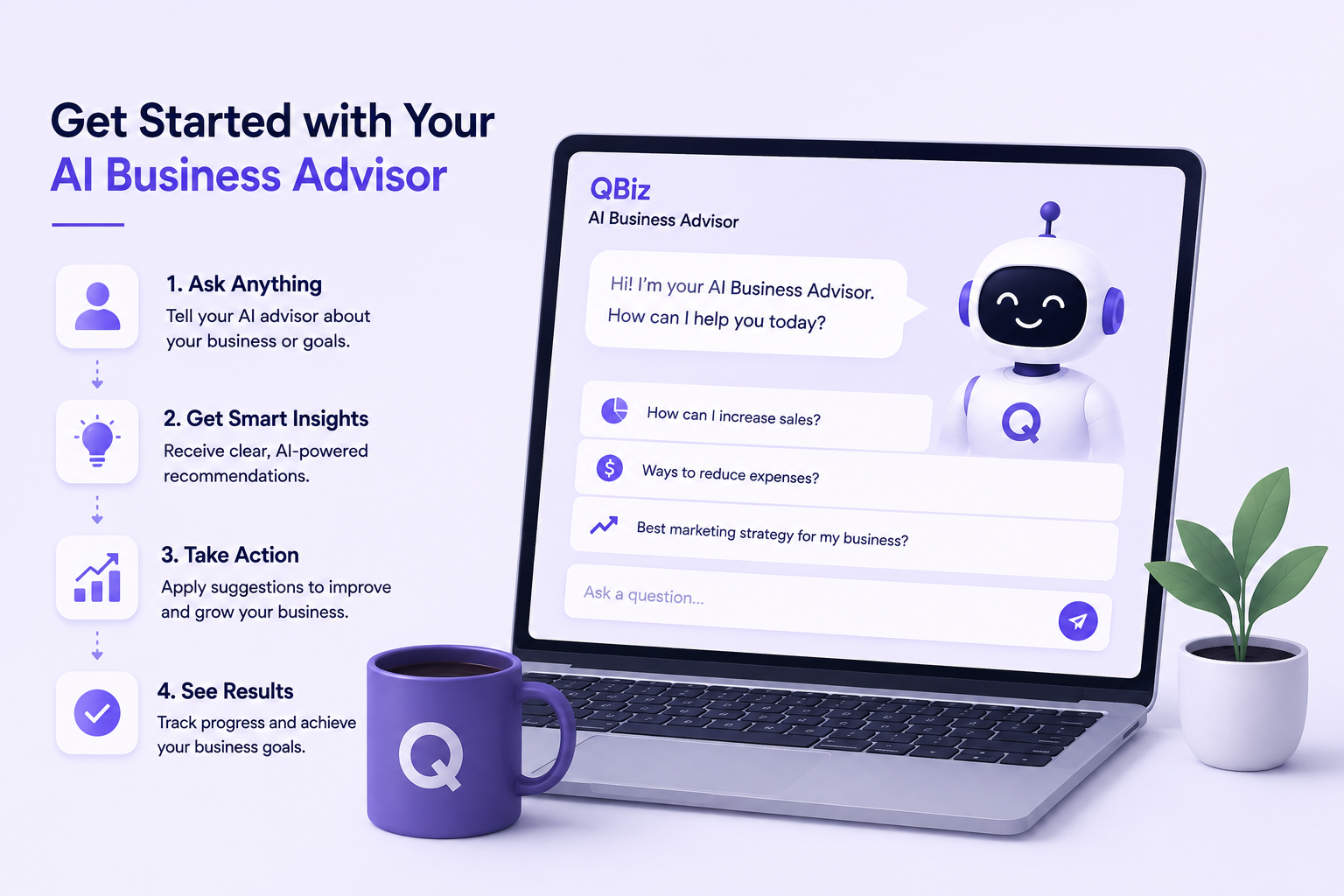
An AI Business Advisor works by connecting directly to the tools your business already runs on, things like Stripe, Shopify, QuickBooks, and your business bank account. Once those are linked, you can ask it plain questions about your revenue, cash flow, or profit, and it answers using your actual numbers, not a guess or a generic template. That's the entire mechanism. No new software to learn, no manual data entry.
QBiz takes this further than most tools in the space. It's not just answering questions and leaving you to figure out the rest. You also get support behind it, someone to talk to if you need help understanding what the advisor is telling you. And because QBiz also runs its own lending arm, the same platform that shows you your numbers can also connect you to a business loan if your numbers show you need one, all without switching to a completely different company or starting a new application somewhere else.
Start by Connecting the Tools You Already Use
The first real step isn't learning anything new. It's connecting the accounts you already use every day, things like Stripe, Shopify, QuickBooks, your ad accounts, and your business bank account. You're not entering new data anywhere. You're just giving the advisor permission to read what's already there, so it has something real to work from instead of guessing.
This part takes a few minutes, and it's the only setup involved. Once your accounts are linked, the advisor already has a picture of your revenue, your expenses, your cash flow, and your ad performance, without you having to type in a single number yourself.
Ask a Question the Way You'd Ask a Person
This is where most first-timers hesitate, because it feels like there should be a "right" way to phrase things. There isn't. You can ask something as simple as how your business did last month, or something more specific, like whether your Meta ads are actually turning a profit or just generating clicks. You don't need to know accounting terms or which report to pull. You just ask, the same way you'd ask a business partner sitting across from you.
If you're not sure where to start, some of the most useful first questions are also the simplest ones. What changed in my cash flow this month. Which of my products are actually the most profitable. Am I spending too much on ads relative to what they're bringing in. Each of those pulls from your real, connected data and comes back with an answer you can actually use, not a chart you have to interpret yourself.
Let It Show You What You Didn't Know to Ask
Part of what makes this useful for someone who's never used one before is that it doesn't just wait for questions. A good AI Business Advisor will flag things on its own, like an invoice that's gone unpaid for weeks longer than it should have, or a cash flow trend that's tightening faster than it looks on the surface. You don't have to know exactly what to look for. It's already looking.
If you have documents sitting around that you've never had time to fully go through, a P&L statement, a bank statement, an old spreadsheet, you can usually upload those too and get them explained back to you in plain language instead of digging through the numbers yourself.
Use the Answer, Not Just the Insight
The part that tends to surprise first-time users most is that a good advisor doesn't stop at telling you what's happening. It usually points to what to actually do about it. If two invoices are overdue, it might suggest following up on them directly. If a product's margin is thinner than it should be, it might flag that before you make the mistake of ordering more inventory at the same cost. That's the difference between a dashboard and an advisor. One shows you numbers. The other tells you what they mean for your next decision.
You Don't Need to Be "Ready" to Start
A lot of business owners wait to try something like this until their books are cleaner or they have more time to sit down and learn it properly. You don't need any of that here. The whole point is that it works with your business as it already is, messy invoices, disconnected spreadsheets, and all. The first question you ask doesn't need to be sophisticated. It just needs to be real.
If you've been putting off getting a clear answer about your own numbers, this is about as low-friction a way to start as there is. QBiz's AI Business Advisor is free to try, connects to the tools you're already using, and doesn't require a credit card to get started. Head to myqbiz.ai and ask your first question today. You'll probably have an answer before you'd have finished opening the second tab the old way.