Free
Q, connected to your business.
- Free access to the AI Business Advisor
- Connect your business tools
- Upload financial documents
- QBiz Lending on every plan
Chat or talk out loud. Q answers from your connected tools and ends every voice session with a written plan.
 Q AdvisorBusiness AI
3 tools connected
Q AdvisorBusiness AI
3 tools connected
Example answers on sample data.
Q reads from the tools you already run on, so every answer, in chat or in a session, comes from your real numbers.
Twelve connectors at launch, including Plaid, Xero, and banking data, plus spreadsheet, CSV, or PDF uploads.
The AI Business Advisor is free for launch users: no 7-day trial, no credit card, no hidden paywall. Strategist is the one paid plan, for owners who want the full breakdown and a plan with every answer. Lending is available to everyone.
Q, connected to your business.
The same Q, on our most capable model.
Q Strategy Sessions are voice conversations with your advisor. Pick a focus, talk through it the way you would with a partner, and end with written action items you can check off.
Grow revenue, improve cash flow, get ready for a loan. Q shapes the session around it.
Ask out loud. Q listens, checks your connected data read-only, and answers in its own voice.
End the session and Q writes up what you covered, with key action items saved to your history.
Strategy session
A walkthrough of the session room with sample dialogue. Q speaks with its own voice in the app; the optional Voice button here uses your browser's voice.
Cash flow is tight because two invoices worth $8,400 are 30+ days overdue while shipping costs grew 21% against 9% more orders.
Every session ends with a written plan. Rate any answer to tune how Q works with you.
Pick one, and Q will shape the session around it. These are the focuses you can choose in the app today.
Session minutes are included with every plan and renew monthly. Need more this month? Add temporary minutes any time; they last until your plan renews.
Data is scattered across payment processors, accounting tools, ad platforms, spreadsheets, storefronts, and bank accounts. Q pulls it into one conversation, so you can ask what is going on and get an answer grounded in your numbers.
Figures shown are sample data.
General AI tools are powerful, but they are not built around your live business data. Q answers from your actual numbers, tools, documents, and revenue channels, in chat or out loud.
| Capability | General AI chatbots |
QBiz
|
|---|---|---|
| Your numbers | Require you to paste in context every time. | Connects to Stripe, Shopify, QuickBooks, ads, and banking data. |
| Voice | Dictation at best, with no memory of your business. | Strategy sessions that check your data as you talk and end with a written plan. |
| Depth | One tone for every question. | Free answers the question. Strategist adds the breakdown and the plan. |
| Documents | Read what you upload, in isolation. | Analyzes your P&L, reports, and statements alongside live data. |
| Follow-through | The advice disappears when the chat ends. | Action items you can check off, kept in your session history. |
Chat with the Advisor, talk it through in a Strategy Session, get a free rate analysis from Merchant Services, and browse Loan Products, all in one account on desktop or mobile.
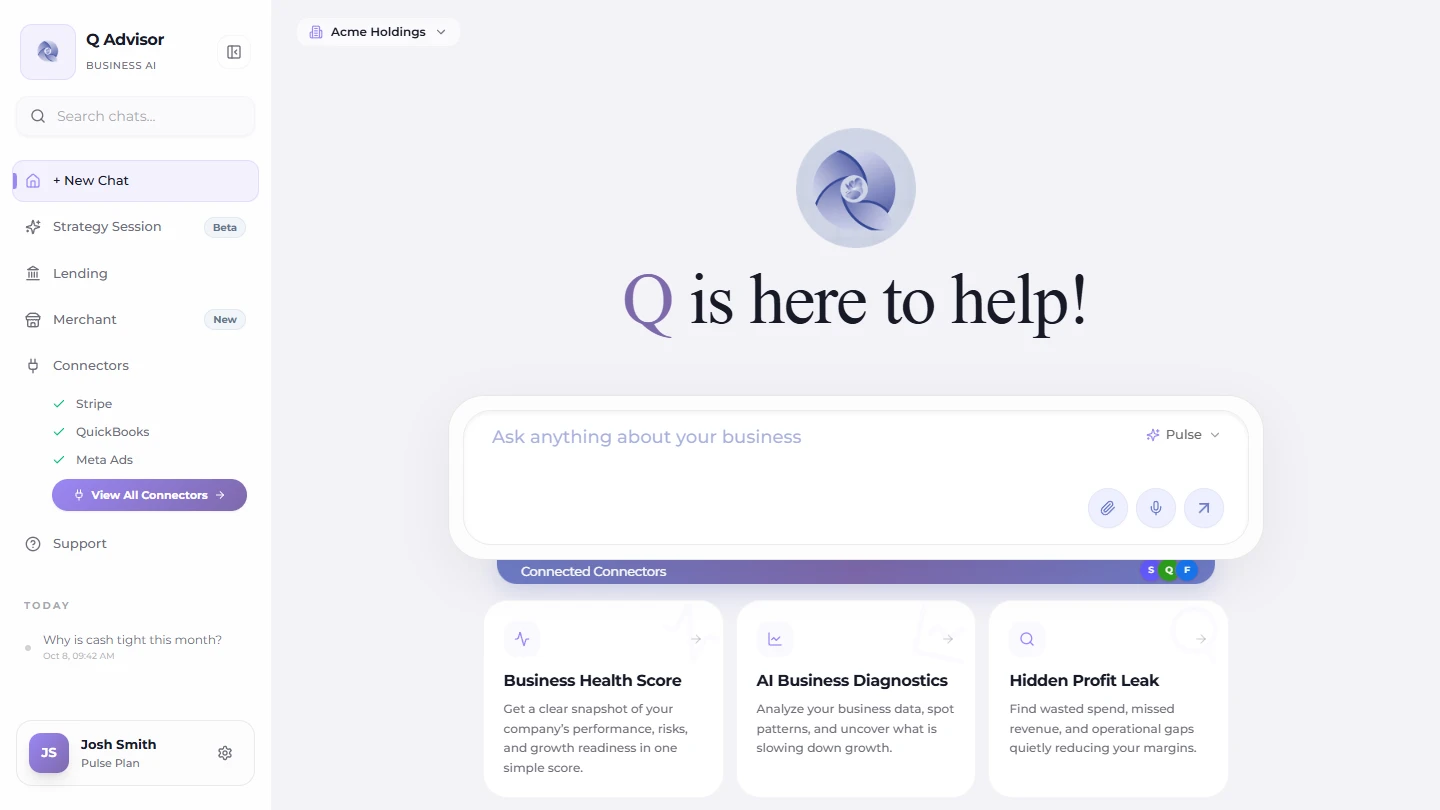
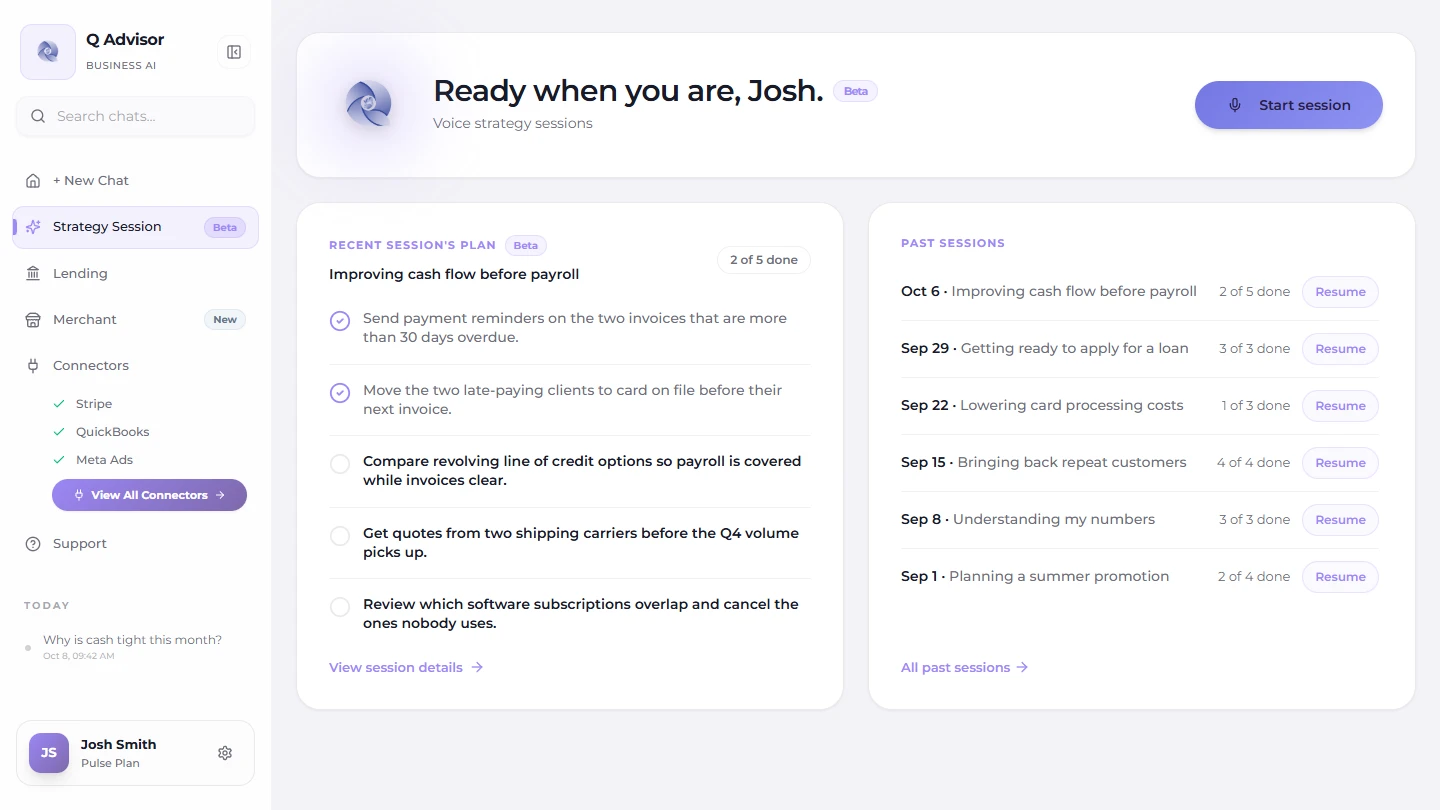
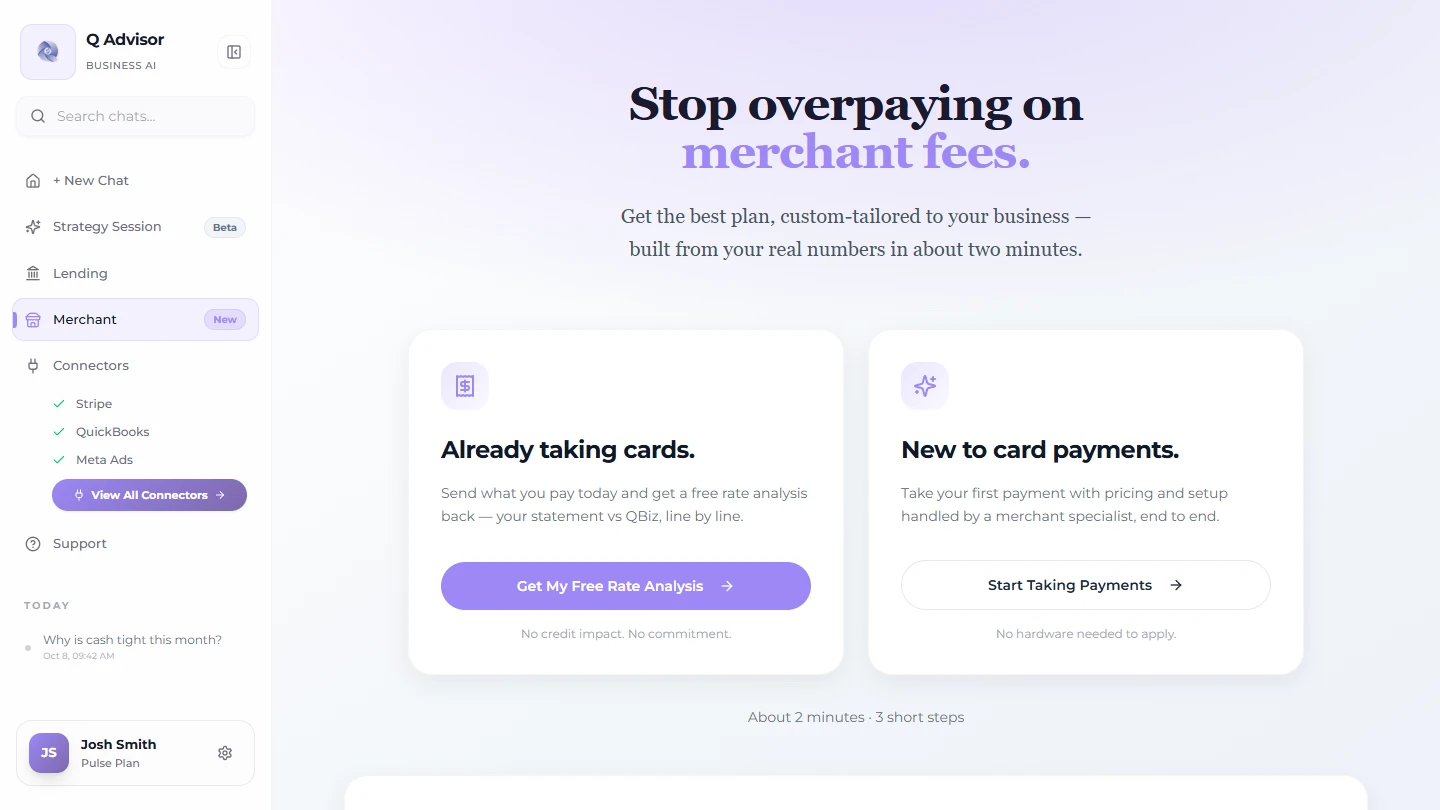
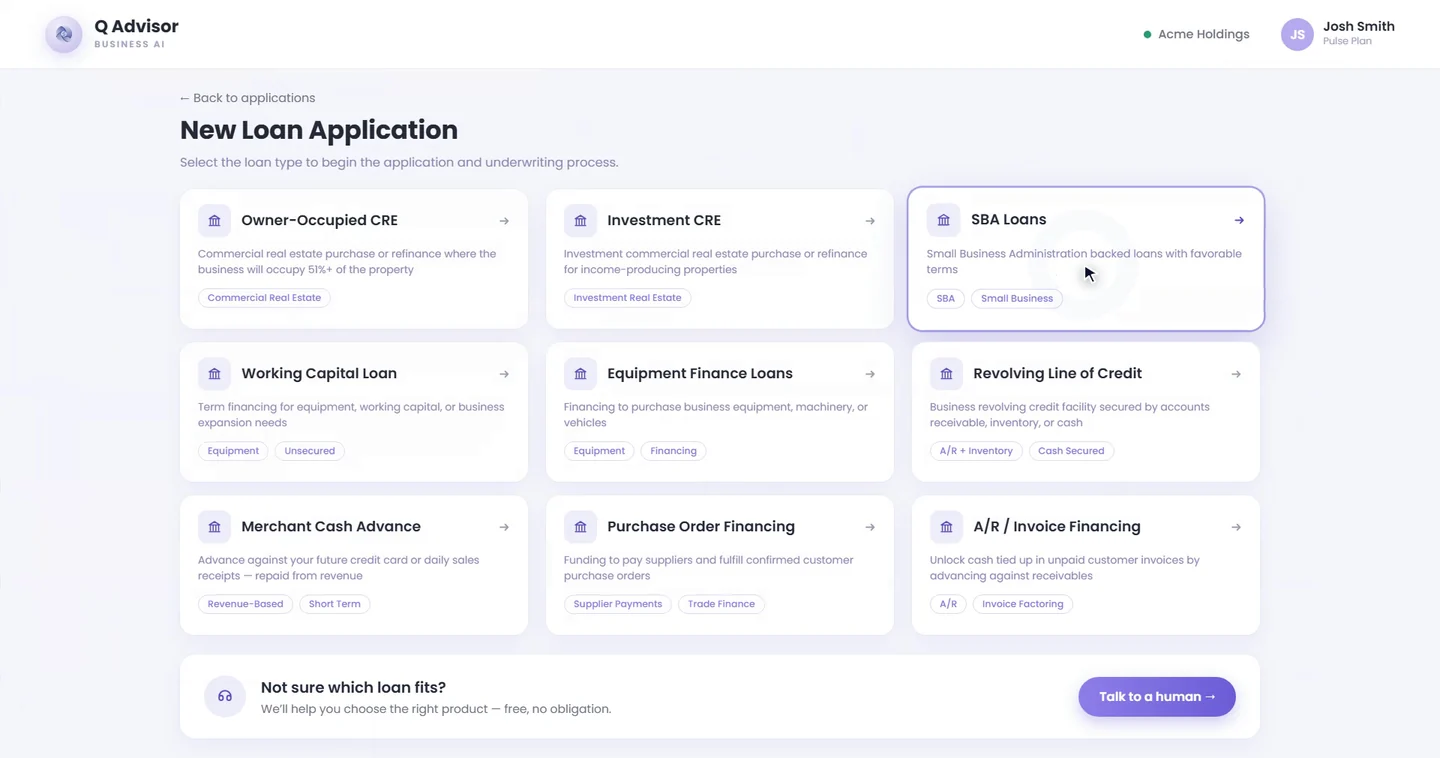
Loan Products is a real screen from the QBiz app; Advisor, Strategy Session and Merchant Services are rebuilt from the app's own code. Sample account.
Business banking inside QBiz, with Q on the account: balances, cash flow, and spending in the same conversation as the rest of your business. We are building it now.
Yes. QBiz is currently free for initial launch users. There is no 7-day trial and no credit card required to start.
QBiz is an AI Business Advisor that helps business owners understand revenue, cash flow, profitability, marketing performance, documents, and business risks by connecting to the tools they already use.
Pick a focus, then talk with Q the way you would with an advisor. Q listens, checks your connected data read-only while you talk, and answers out loud. When you end the session, it writes an action plan and saves it to your session history. Sessions are in beta.
Every plan includes session minutes that renew monthly. If you run out before your plan renews, you can add temporary minutes for the current billing period or continue in text chat.
Strategist is the paid plan: the same Q, on our most capable model. Every answer includes the breakdown behind the numbers and a plan you can act on. The free plan answers the question; switch between the two in the demo at the top of this page to see the difference.
No. QBiz is designed to explain business and financial information in simple language so you can understand what is happening and what to do next.
QBiz is not positioned as a replacement for professional accounting, tax, legal, or financial advice. It is designed to help business owners better understand their data, ask better questions, and make more informed business decisions.
Yes. We use secure systems and privacy-focused processes to help protect customer information and business data.
QBiz is launching with multiple connectors, including tools such as Stripe, Shopify, QuickBooks, Plaid, Meta Ads, Google Ads, Square, Xero, banking data, and spreadsheet/CSV uploads.
No. QBiz is built for business owners, founders, CEOs, operators, e-commerce brands, agencies, and growing companies that want clearer business insights.
Yes, QBiz is designed to support document analysis, allowing users to upload business documents such as spreadsheets, reports, and financial documents where available.
QBiz is designed for web and mobile access so business owners can get business insights wherever they are.
The free plan stays free for launch users. Strategist is the one paid plan and the only upgrade we offer right now: the same Q on our most capable model, with the breakdown and a plan in every answer.
Start by connecting one business tool or uploading a business document. Then ask QBiz a question such as, "What should I know about my business performance this month?"
No. Customer trust is a priority, and we do not position customer data as something to be sold.
Yes. The Privacy Policy is clearly linked from the Security page, footer, and FAQ area. Read the Privacy Policy
Your business already has the data. Connect your tools, ask in chat or out loud, and leave every session with a plan.
Start freeFree for launch users. No credit card required.